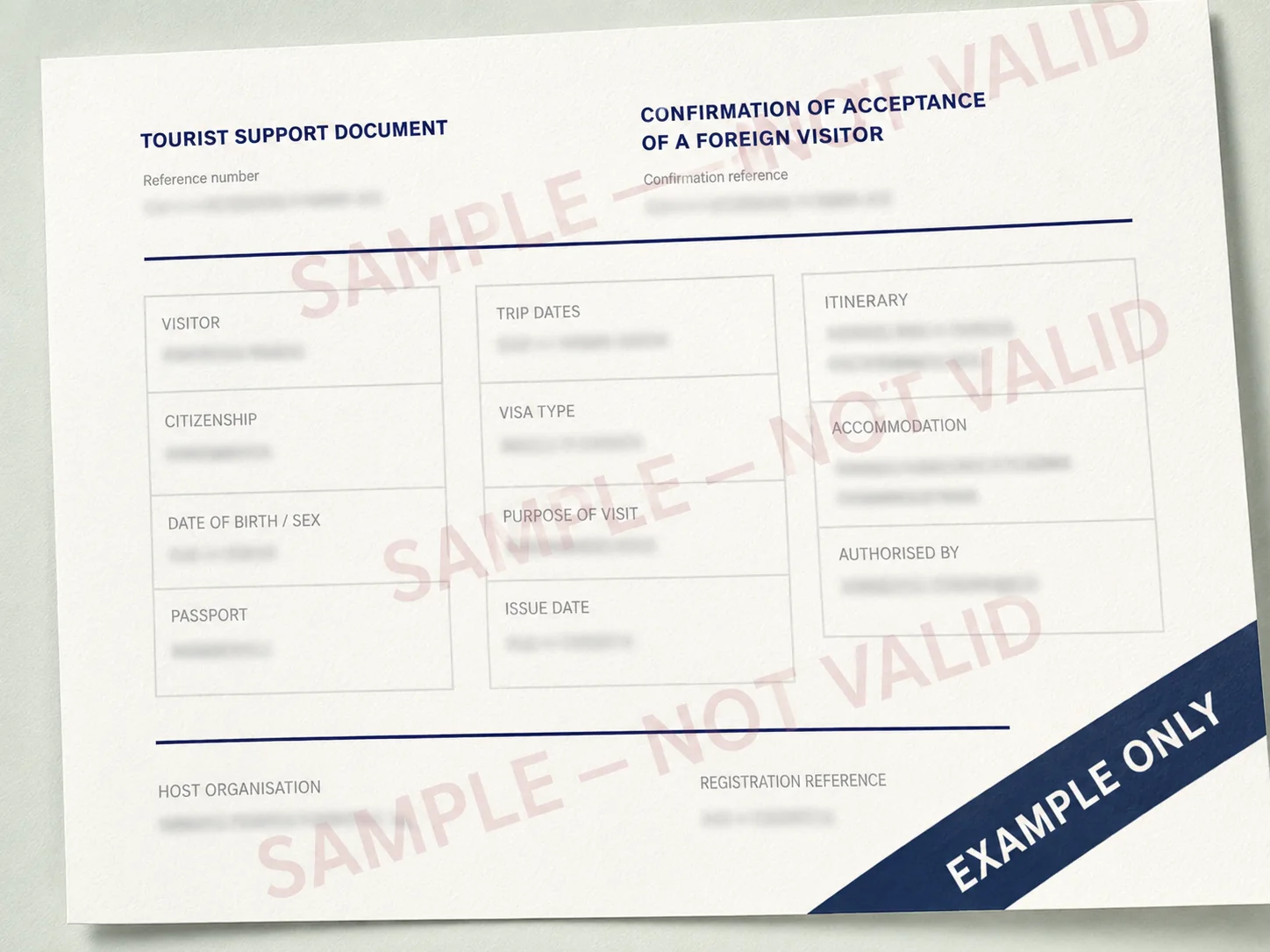
Put the invitation beside the passport and work through the fields in order. Layouts vary by issuer, language and system, so compare the information rather than the position of a logo or box.
The two names you may see
Tourist visa support is often described as two connected components:
- tourist confirmation: confirmation from the authorised host organisation that the tourist is accepted for the stated journey;
- tourist voucher: the tourist-service or itinerary element associated with that support.
They may appear on separate sections, pages or a combined document. Sellers often use invitation or visa support as the umbrella term.
A field-by-field sample map
Imagine the document divided into five zones:
| Zone | Typical content | Your check |
|---|---|---|
| A — document | Confirmation or voucher number, issue date | Is it present and readable? |
| B — traveller | Name, birth date, citizenship, passport | Does it match the passport exactly? |
| C — journey | Entry, departure, entries, cities or programme | Does it cover the real trip? |
| D — purpose | Tourism or relevant category wording | Does it agree with the application? |
| E — issuer | Legal name, address, reference or registry details | Can the organisation and role be verified? |
Some documents repeat traveller and issuer data across voucher and confirmation sections. Repetition is an opportunity for comparison: the repeated values should agree.
Zone A: document identifiers
Look for a confirmation, voucher or reference number and an issue date. Copy the number exactly—it may be needed on the application form or in a correction request—then check that it belongs to an identifiable issuer with a verified contact channel.
Zone B: traveller details
Place the document beside the passport identity page and check:
- Surname.
- Given names in the same order and spelling.
- Date of birth.
- Citizenship.
- Passport number, including letters and leading zeroes.
- Sex or other identity field where displayed.
Do not compare with an airline booking, old visa or memory. The passport being used is the source.
If a name is shortened, reordered or transliterated differently from the passport, ask the issuer to confirm or correct it before filing.
Zone C: dates and route
Check that arrival and departure dates cover the intended presence in Russia. Then trace the route:
- first Russian destination;
- later cities where shown;
- hotel or accommodation information if the format includes it;
- one or two entries as intended;
- no side trip accidentally creating an unrecorded re-entry.
An invitation need not be a minute-by-minute itinerary. It should not contradict the journey you will describe elsewhere.
Zone D: purpose
For tourist support, the purpose should say tourism. Employment, study and other purposes need the appropriate visa category; changing a label on the document does not change the real trip.
Zone E: issuer and registry context
Look for the organisation’s legal name, address and relevant reference or registry information. You should know who issued the document and how to reach them if a correction is needed.
Verification can include:
- reading the issuer information supplied before payment;
- checking an official or otherwise reliable registry where available;
- contacting the service through a channel obtained independently, not solely from a suspicious PDF;
- asking who corrects the document and under what terms.
What a sample cannot tell you
A sample cannot prove that:
- your nationality has the same visa requirements;
- your consulate accepts the same format;
- the displayed issuer is currently authorised;
- your requested validity or entries will be granted;
- a document sold under the same design is genuine;
- the visa application will be approved.
Use the sample to locate fields. Use the passport, issuer details and official filing instructions to judge the real document.
Safe sample publishing
Our public image contains no live data, signature, seal, QR code or verification code. A screenshot can always be saved from a website, so its safety comes from being unusable—not from pretending that downloads can be technically prevented.
If your document differs
Ask these questions in order:
- Are all required traveller and trip facts present?
- Is the issuer identifiable and appropriate?
- Is the document format accepted by the responsible consulate?
- Can the service explain the difference clearly?
- Does the document pass the passport and itinerary comparison?
Design differences are common. Missing facts, unexplained issuer details and refusal to correct errors deserve attention.